In quick commerce, speed is no longer the advantage — visibility at the moment of intent is.
As Indian consumers shift toward instant, need-based purchases, platforms like Blinkit have evolved from delivery apps into high-impact advertising ecosystems. Purchase decisions now happen in minutes, leaving brands with a narrow window to appear, influence, and convert.
This is where Blinkit Ads become critical.
From everyday essentials to personal care and impulse-driven categories, Blinkit enables brands to connect with shoppers precisely when demand peaks. But winning on Blinkit isn’t about higher ad spend alone, it requires smart campaign management aligned with real-time availability, location-level demand, and fast-moving consumer behaviour.
At Paxcom, we help brands navigate this complexity through quick commerce campaign management and intelligence-led optimisation enabling better visibility, stronger conversions, and more efficient ad performance across Blinkit.
In this guide, we break down how Blinkit Ads work, how brands should approach advertising on Blinkit, and what it takes to win in a marketplace where every minute and every impression matters.
This blog will briefly overview how to get started with Blinkit Ads through SearchSenze, a search bidding platform.
Ads establish a win-win opportunity for advertisers and customers, as 55% of eCommerce users shop via search. C.P.M. allows the brand to exercise its potential, resulting in brands yielding maximum results and customers getting what they want all at once at the right time.
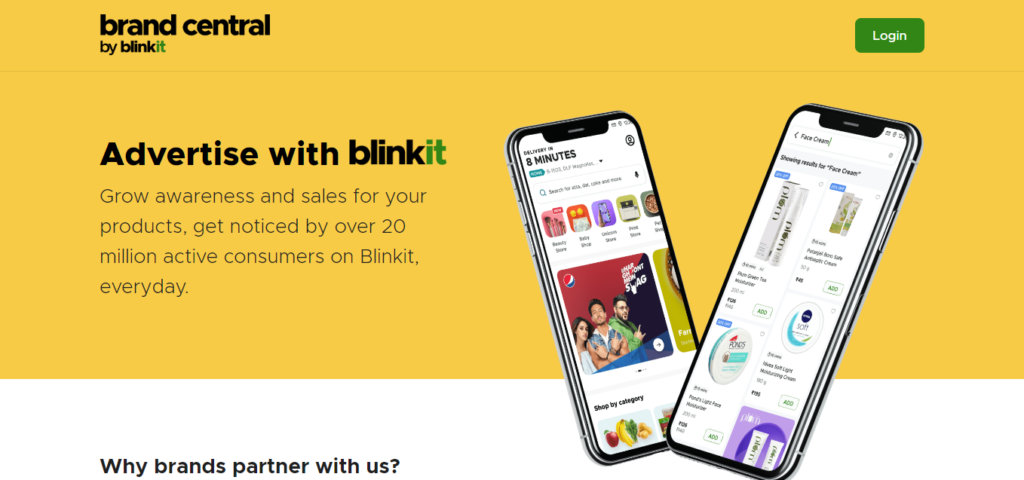
Blinkit’s Brand Central
Login Link: https://brands.blinkit.com/
Let’s dive into different types of Blinkit Ads and their requirements
Blinkit has bifurcated its ad assets into reach and performance campaigns. Reach campaigns develop brand awareness and drive more viewers to the product or brand by sharing its USPs in attractive formats. The brand builds a share of voice (SOV). Meanwhile, the performance campaign will drive sales, acquire a new audience, and leverage customers’ intent to purchase through direct-to-cart and before-you-checkout nudges on conversion pages.
Table of Contents
Product Booster Ads
Blinkit’s product booster ads allow businesses to advertise their desired products and reach out to the right customers. They are similar to Google’s shopping and pay-per-view ads and help businesses advertise their products within a specific category, targeting relevant customers in an ad format that is not intrusive.
Product booster ads are carried out in keyword-based or category-based targeting formats. If you are running a product booster campaign for “Masoor Dal” by brand X, you can bid on keywords like “Dal,” “Masoor Dal,” “Daal,” etc.
However, if you want to target a category, then it can be “pulses.” Blinkit allows you to club products and run campaigns, so if the primary product goes out of stock, the algorithm will automatically display the backup product or products.
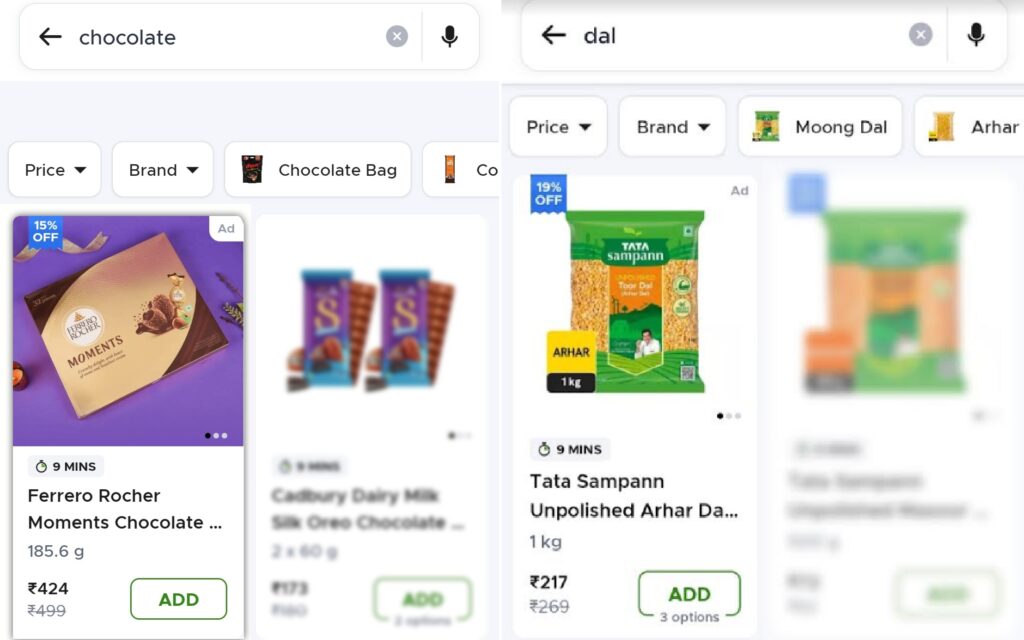
Listed below are metrics that aid in driving sales through performance campaigns
- Direct-to-Cart Shelf: The product is visible on the homepage with a direct add-to-cart button.
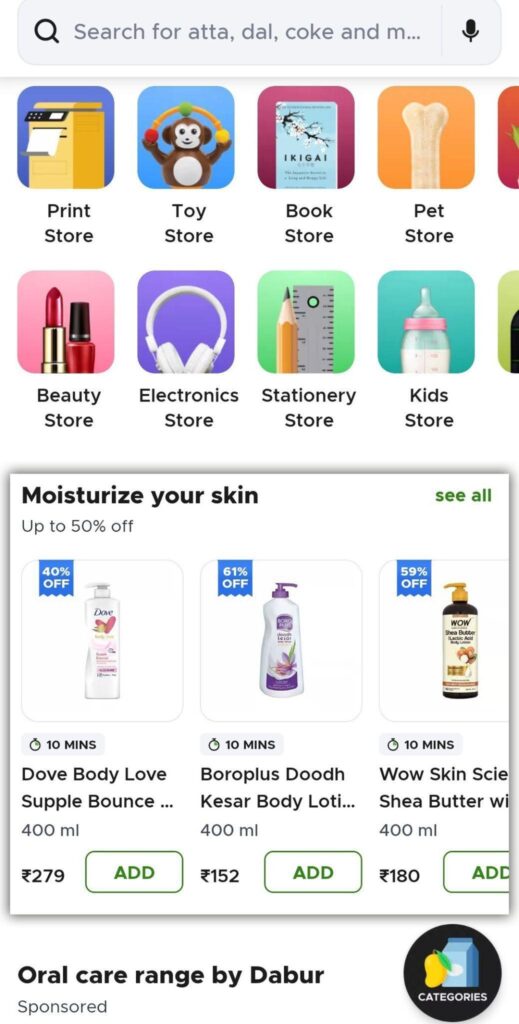
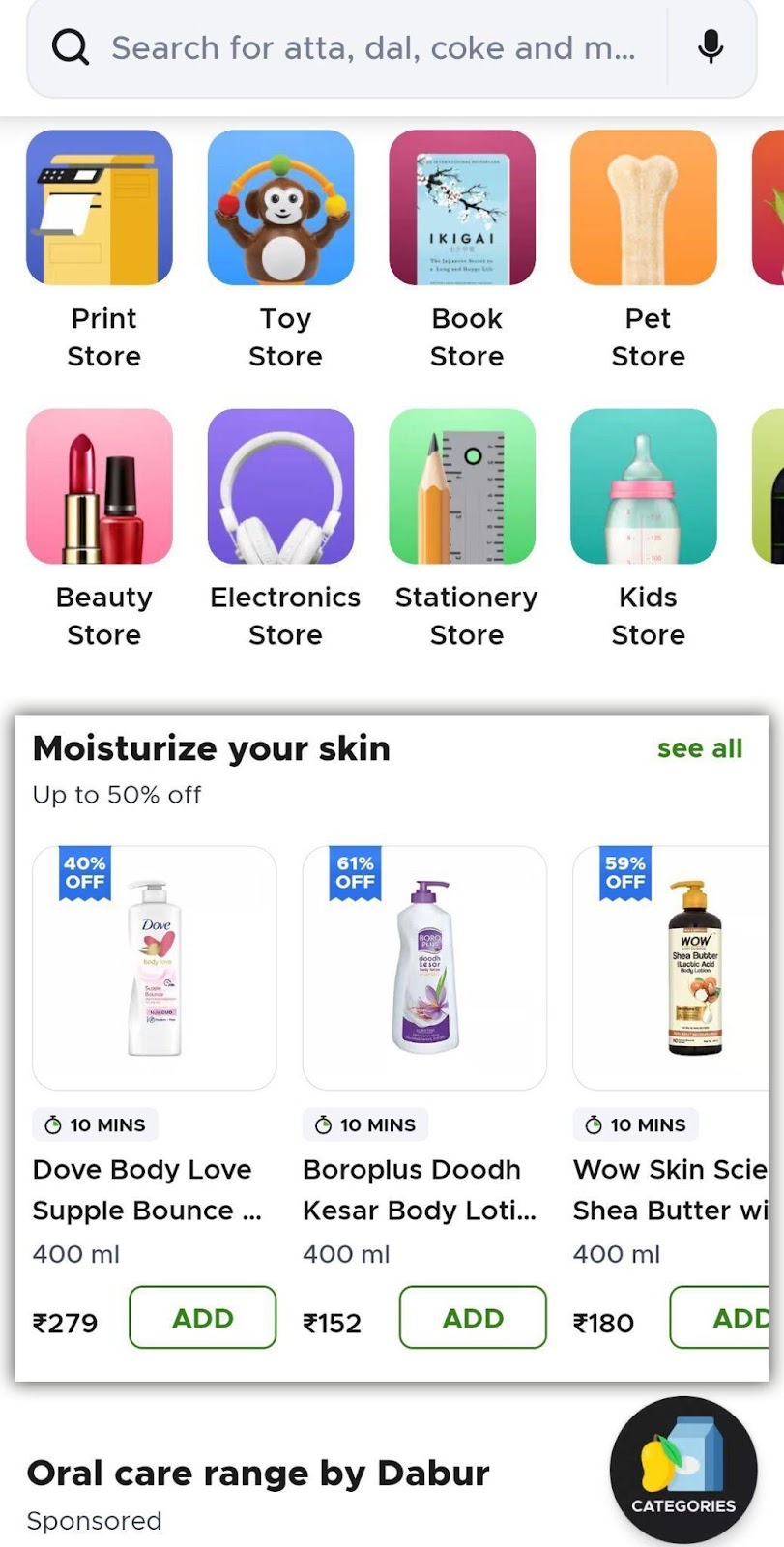
- Brand Shelf: Compelling story-telling and product catalogue under one section on the homepage help with stronger brand share and presence.
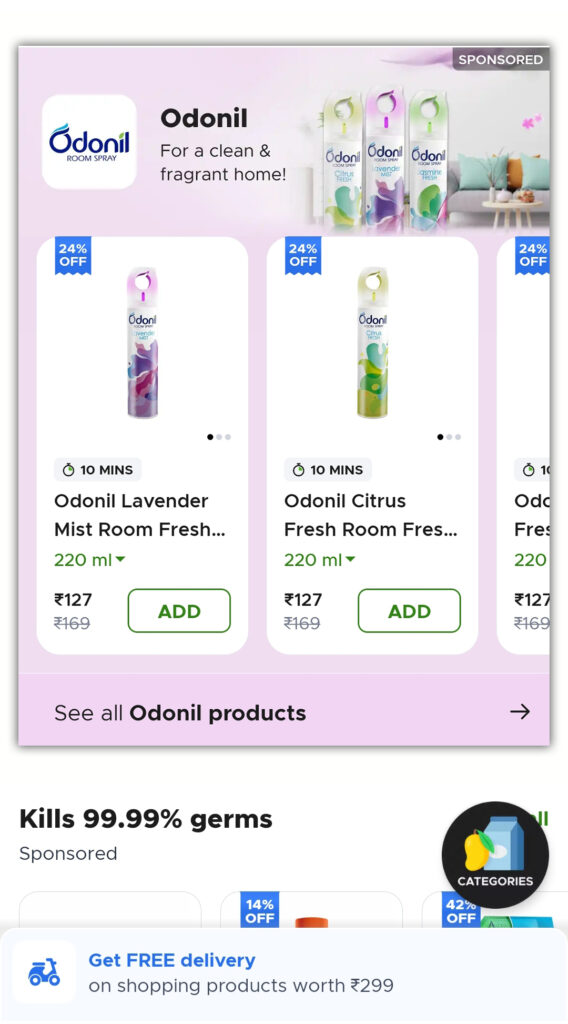
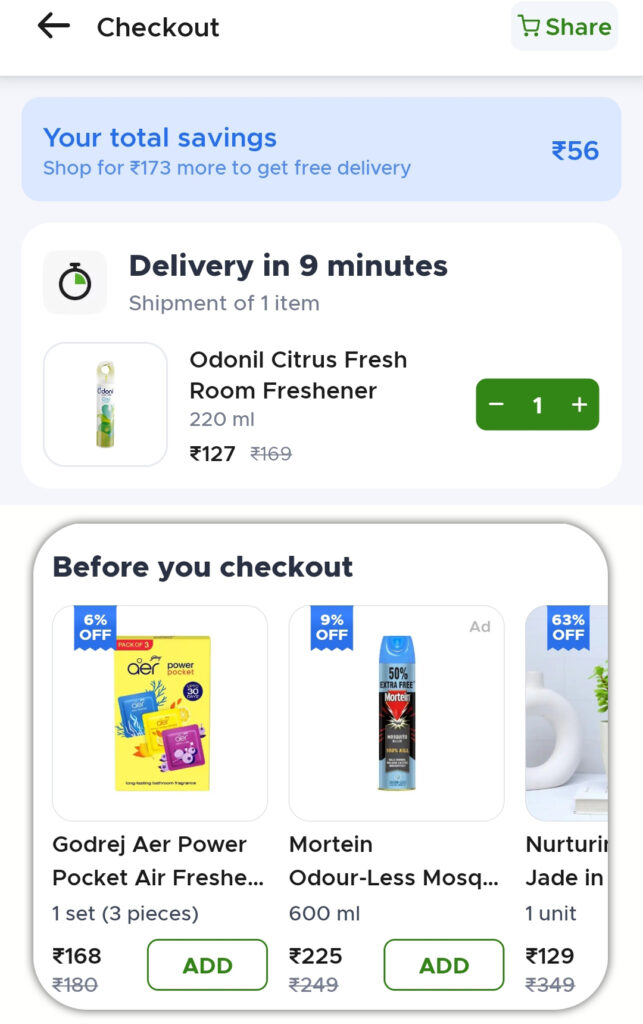
- Cart Injection: Visible on the checkout page with recommended products to increase conversion.
Listing Spotlight Ads
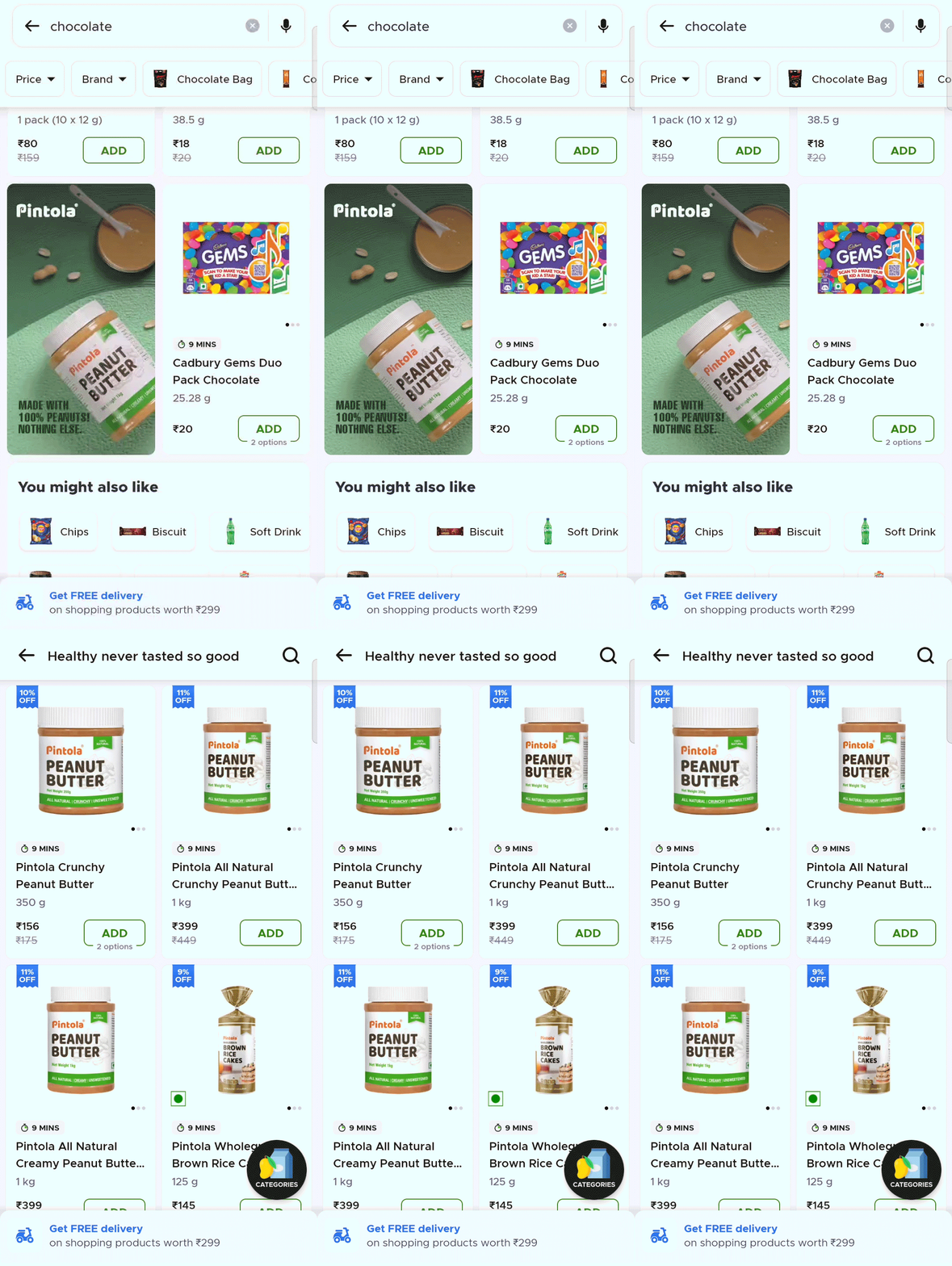
Blinkit’s listing spotlight ads let brands promote their portfolio of products in a single carousel format. The platform helps you seamlessly reach Blinkit’s shoppers and drive targeted brand awareness, product discovery, and purchase intent throughout the customer journey.
This unique carousel (also known as a collection) format of these ads enables the brand to showcase multiple products in one place while also displaying products from its parent company, and users can click on ‘See All’ to explore all products in detail. Additionally, you can promote your products across multiple categories with PLP.
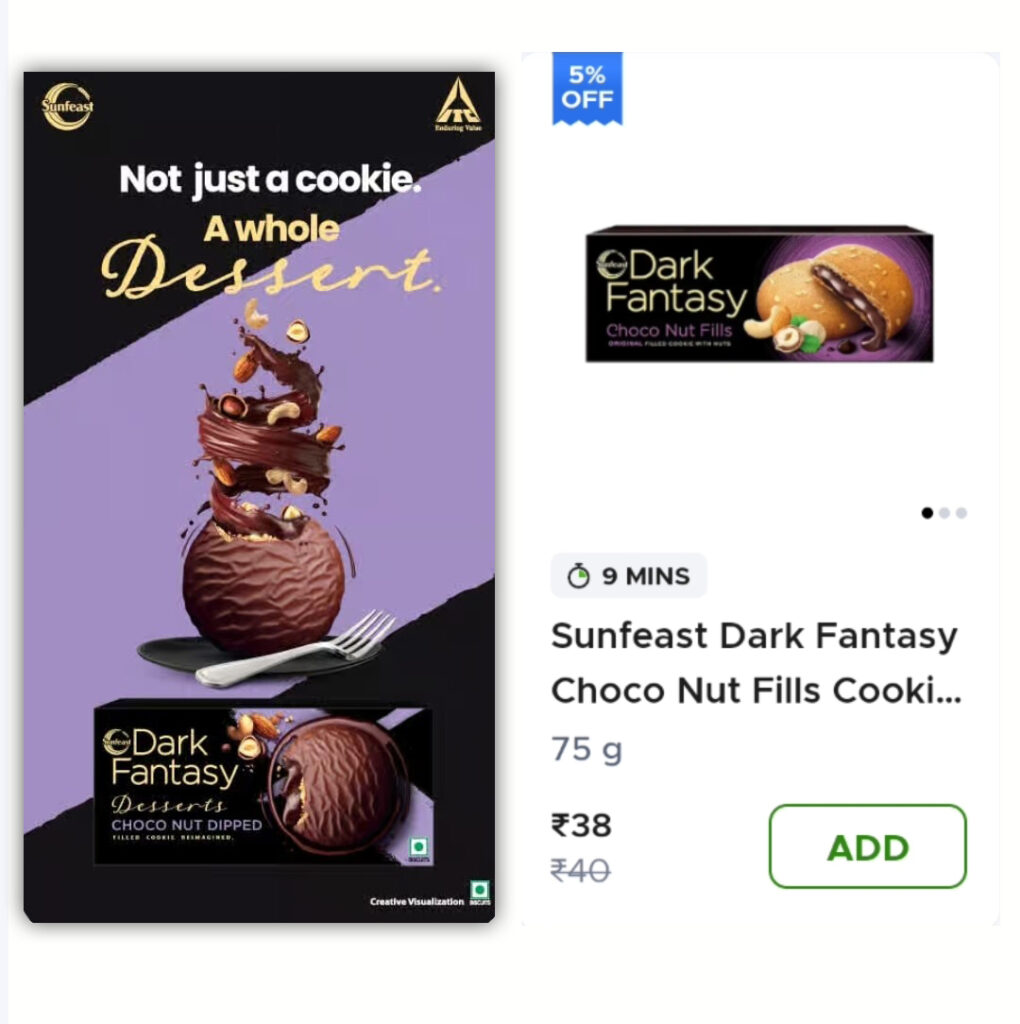
Brands can create customised creatives with attractive messaging of up to 30 characters and can also create a GIF along with their logo to attract customers to visit their page. The banner appears, and landing pages can display multiple products or the entire catalogue.
Over time, Blinkit has made minor alterations to the creative’s size and requirements for listing spotlight ads. The requirements are as follows:
- Creative Dimension: 208 px (length) x 530 px (height)
- Primary content must be placed within a safe content space, i.e., 160 px x 362 px.
- Plain background colours or textures should be used in the padding area.
- Font size should be above 12 pixels for readability.
- Avoid using pricing in the creatives and infographics, as the pricing is dynamic and it fluctuates multiple times.
- Refrain from using terms and conditions on banners.
Listed below are metrics that drive awareness through reach campaigns.
- Push Notifications: Quirky texts and personalised messages push customers to engage with the brand, resulting in better clicks and impressions.
Lucrative Offers: The audience loves to get spoilt; promotional offers and discounts help the brand stand out.
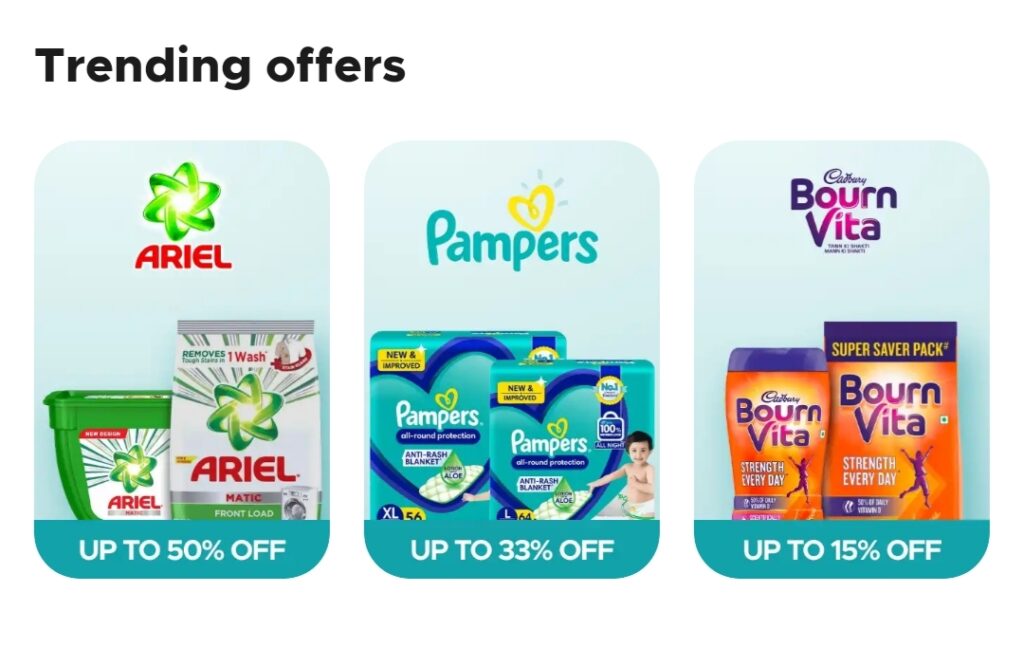
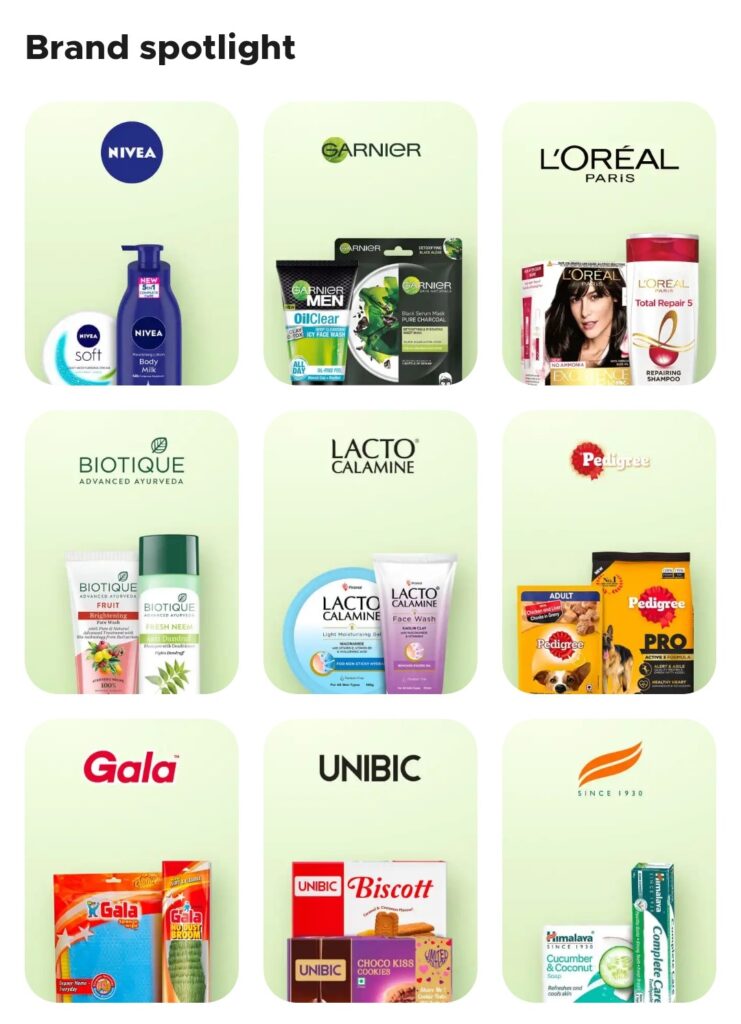
- Brand Spotlight: Highlights the brand in the niche category, differentiating it from the rest, widening the brand dynamics, and acquiring new customers.
Display Ads
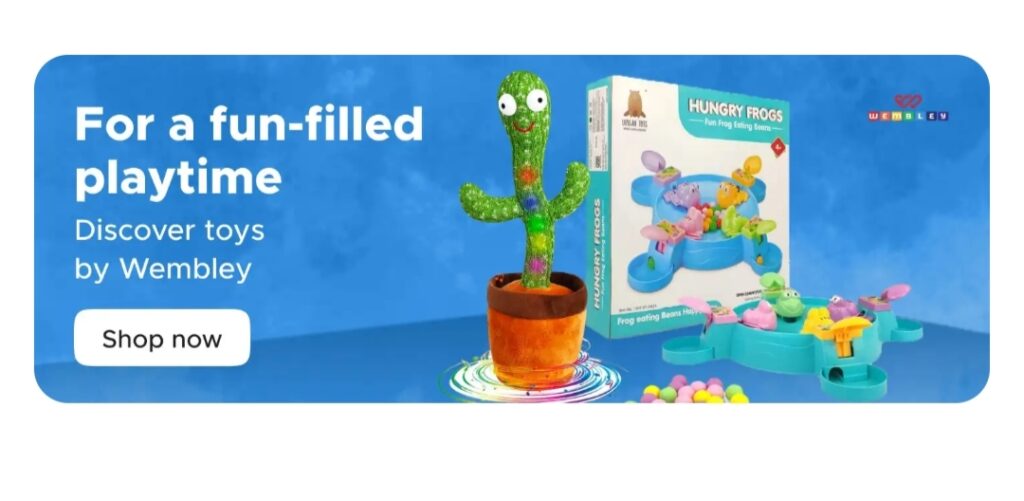
Blinkit’s sponsored display ads allow brands to cross-merchandize their products with other affinity keywords. For example, if you want to display your mustard oil ad on search and keywords like “brand name,” “mustard,” “oil,” etc., then you can do so by buying this product.
This ad can be run solely by Blinkit. We will reach out to Blinkit’s SPOC on your behalf and get it done.
Sponsored display ads boost the campaign’s performance on an overall basis, resulting in improved reach.
How do I bid for your ad placement on Blinkit?
Bidding on Grofers Ads: The SearchSenze platform is auction-based, which means that the ads are placed for bidding, and the highest winning bidder’s ads will get the ad placement on the Blinkit app:
- Spending is calculated by the CPM (Cost per Mille Impressions) each time your ad is displayed.
Reach Campaign: listing spotlight ads
- Keyword Targeting: Blinkit suggests keywords and an average bid price. Its smart match bidding type boosts your product to a wider audience. Blinkit allows you to target negative keywords as well.
- There is a concept of minimum bid, i.e., cost per mille impressions.
Performance Campaign: Product Booster Ads
- Category targeting helps with ad placement and allows greater control over the campaign.
- Bidding is done through product booster ads and recommended product ads.
- Blinkit allows you to keep track of the ad spend.
Budget: The budget is flexible. Overall Budget (fixed), Daily Budget (varies as per the brand)
Blinkit has recently introduced “Bid Booster” for the brands to automate the campaigns’ performance. Have a look at how you can utilise this feature for good.
Enable Bid Booster to automatically increase your bids if the competition tries to outbid you. The minimum limit varies as per the keyword, while the maximum boost allowed is up to 50%. The feature is available under product booster for Keyword Targeting.
The bid is automatically adjusted to maintain the campaign’s position at the top. It is believed that the highest possible bid will secure the top spot if your competition and you have bid for the same keyword. Boosted bids are only applicable when the campaign is ranked at the top; otherwise, the campaign will be priced at the exact match bid.
Blinkit Brand Reports
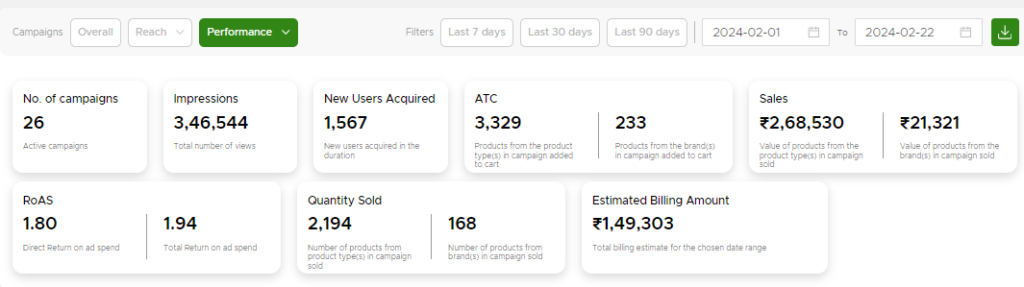
The Self Serve platform allows you to track the campaign’s performance and gain a more insightful understanding of how ads work and strategies better suited for your brand. A reach campaign report comprises metrics such as impressions, add-to-cart, and campaign cost. Meanwhile, performance campaigns’ reports consist of metrics like impressions, add-to-carts, sales, return on ad spend, and new user acquisition.
These comprehensive reports enable brands to decide about forthcoming campaigns and budget allocations.
Blinkit’s Advertising Summary
Advertising on Blinkit: Challenges & Best Practices
Challenges Faced While Advertising on Blinkit
1. Intense Competition for Visibility
Blinkit operates in a high-demand, limited-screen environment. Multiple brands compete for the same high-intent keywords and placements, often driving up cost-per-click and reducing organic discoverability.
2. Ad Fatigue in a Short Purchase Cycle
With frequent repeat purchases, users are exposed to the same creatives repeatedly. Without timely refreshes, engagement drops quickly, impacting click-through and conversion rates.
3. Limited Targeting Depth
Compared to large ad ecosystems like Google or Meta, Blinkit offers relatively restricted behavioural and audience-level targeting, making precision marketing more challenging.
4. ROI Attribution Complexity
Quick commerce journeys are compressed and often influenced by availability, proximity, and urgency, making it difficult to attribute conversions purely to ads.
5. Creative & Format Limitations
Strict creative guidelines and limited ad formats reduce experimentation, requiring brands to communicate value within minimal visual and messaging space.
6. Dark Store Availability Gaps (Often Overlooked)
Even high-performing ads fail when products are unavailable across relevant dark stores, leading to wasted spend and missed conversions.
Best Practices for Advertising on Blinkit
1. Align Ads with Real-Time Availability
Before scaling campaigns, ensure SKU availability across active dark stores. Advertising without coverage leads to visibility loss and inefficient spends.
2. Optimise for High-Intent Keywords
Focus on need-based and category-level keywords that reflect immediate purchase behaviour rather than discovery-led browsing terms.
3. Refresh Creatives Frequently
Rotate creatives regularly to combat ad fatigue. Short, urgency-driven messaging tends to perform better in quick commerce environments.
4. Leverage Hyperlocal Relevance
Customise campaigns by city or region to reflect local consumption patterns, peak demand windows, and category preferences.
5. Monitor Performance at City & SKU Level
Blinkit performance varies significantly by geography. Tracking metrics at a granular level helps identify where to scale and where to optimise.
6. Use Promotions Strategically
Discounts and bundles work best when aligned with demand spikes — weekends, evenings, or high-frequency replenishment moments.
When Should Brands Use Blinkit Ads?
Blinkit Ads are most effective when:
- Launching new SKUs in high-frequency categories
- Driving impulse or emergency-led purchases
- Capturing weekend or evening demand peaks
- Supporting price-led or visibility-led campaigns
- Expanding presence in new cities
Blinkit Ads vs Traditional Marketplace Advertising
| Parameter | Blinkit Ads | Amazon / Flipkart Ads |
| Purchase intent | Immediate | Planned |
| Decision window | Minutes | Hours / days |
| Demand type | Need-based | Search-led |
| Availability impact | Very high | Moderate |
| Optimisation focus | Visibility + stock | Keywords + bids |
Key Metrics Brands Should Track on Blinkit
- Share of visibility across keywords
- Dark store-level availability
- Conversion rate by city
- Ad-driven sales uplift
- Visibility vs conversion gap
Paxcom POV
In quick commerce, ads don’t fail due to low budgets — they fail due to poor availability and misaligned visibility. Brands that synchronise ads, assortment, and hyperlocal demand are the ones that consistently win on Blinkit.
Paxcom’s contribution to brands’ success on Blinkit
Our team of experts helps you cater to AtoZ brand goals for all platforms, from content creation to executing campaigns and forecasting trends for enhanced results aligning with the brand’s objectives. Understand consumer demands better with our on-shelf analytics tool and deploy power-packed strategies to gain a competitive edge in the instant commerce landscape.
Our experts can assist you with the following aspects regarding your Blinkit ads:
- We manage all of your advertising campaigns and bidding processes to help you get the most out of your budget.
- Planning, executing, analyzing, and optimizing visibility campaigns to your brand’s objectives.
- Media buying for brands across channels to ensure maximum ROI.
- Customized advertisement banners that increase your click-through rate will be created with the assistance of our designers.
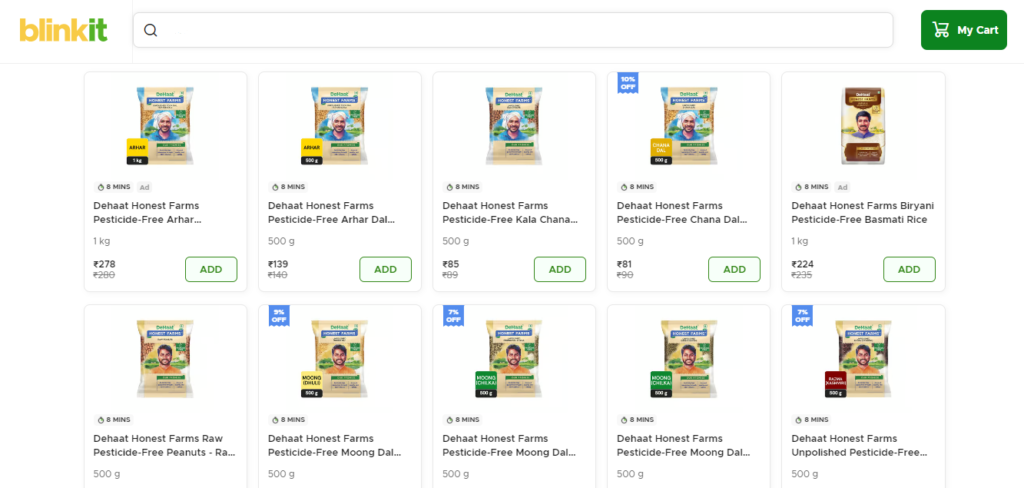
Sneak-a-peak at how Paxcom helped Dehaat, an FMCG brand, increase its ROAS by 1.75x.
Contact us at info@paxcom.net or fill out the form here, and one of our experts will connect with you for a detailed analysis of how the collaboration will benefit your brand in the long run.
People Also Ask
- What type of brands should advertise on Blinkit?
Blinkit Ads work best for brands in high-frequency and urgent-need categories such as snacks, beverages, personal care, OTC healthcare, and daily essentials where purchase decisions are fast and convenience-driven.
- Is Blinkit Ads suitable for new product launches?
Yes. Blinkit Ads are highly effective for new SKU launches as they help brands gain instant visibility at the moment of need, especially when supported by strong availability across dark stores.
- How is Blinkit Ads different from Amazon or Flipkart Ads?
Unlike traditional marketplaces focused on planned purchases, Blinkit operates in a quick-commerce environment where ads influence immediate buying decisions within minutes.
- What are the biggest challenges while running Blinkit Ads?
Key challenges include inconsistent dark store availability, limited visibility data, city-level demand variation, and the short decision window of quick commerce shoppers.
- How can brands measure the effectiveness of Blinkit Ads?
Brands should track visibility share, conversion rate, availability coverage, city-wise performance, and incremental lift to understand true ad impact beyond surface-level ROAS.